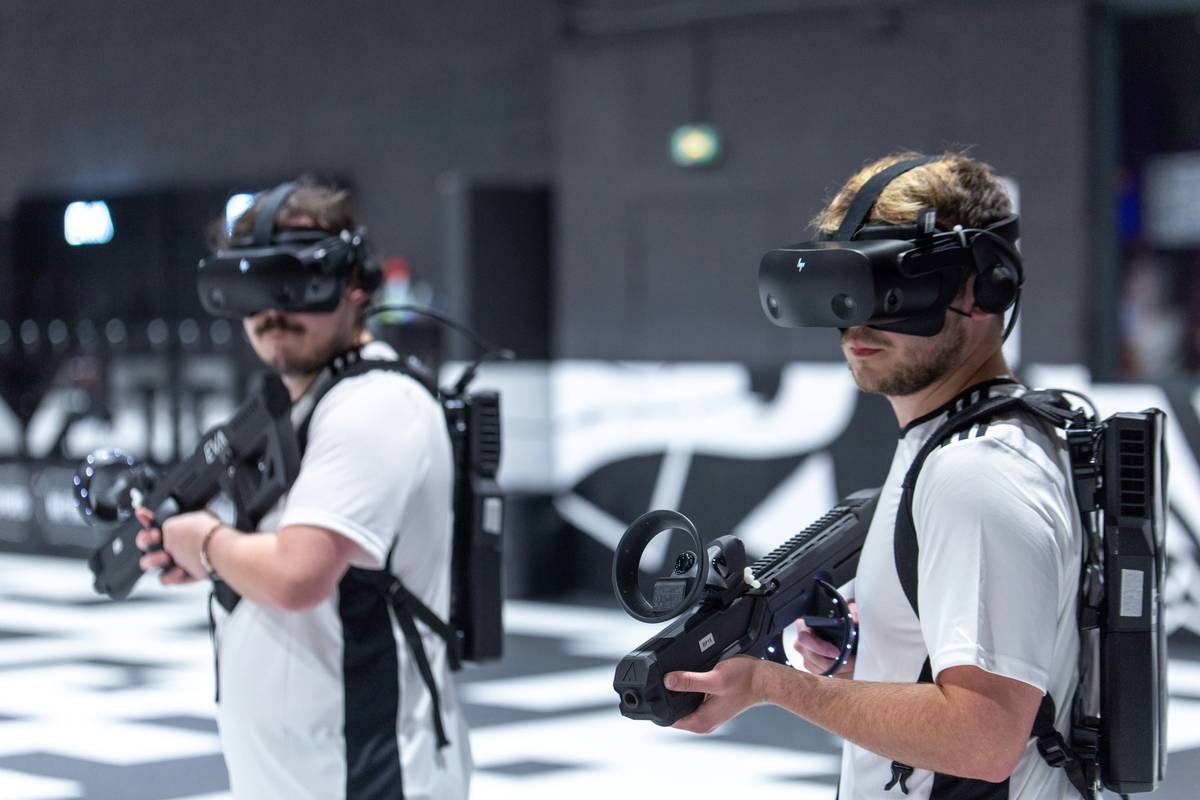
Ever jumped into a multiplayer mobile game only to find yourself stranded in a laggy, empty lobby with no one to play with? You’re not alone. As mobile gaming evolves, players increasingly crave real-time interaction—but mixing social features with smooth gameplay is harder than it looks. In this guide, we’ll cut through the noise and spotlight truly viable social and multiplayer vr gaming options that actually work on mobile devices today. No hype, no vaporware—just tested picks, practical steps, and hard-won lessons (including one epic fail I still cringe about).
Table of Contents
- Why Social and Multiplayer VR Gaming Options Matter in Mobile
- Step-by-Step Setup for Lag-Free Play
- 5 Best Practices for Better Matches
- Real Examples That Actually Work
- FAQs About Multiplayer Mobile VR
Key Takeaways
- True VR isn’t required—many “VR-style” mobile games use immersive 3D without headsets.
- Network latency kills more sessions than bad graphics; prioritize stable matchmaking.
- Only a handful of titles genuinely blend social depth with scalable multiplayer.
- Your device’s processor and OS version impact compatibility more than you think.
- Always check privacy settings before joining public lobbies—data leaks happen fast.
Why Social and Multiplayer VR Gaming Options Matter in Mobile
Mobile gamers aren’t just killing time—they’re building communities. According to a 2023 report by Newzoo, over 68% of mobile players prefer games with real-time cooperative or competitive modes. Yet most “multiplayer” mobile titles offer shallow interactions: basic leaderboards or turn-based passes that feel more like email chains than live play.
The demand for deeper engagement—voice chat, shared missions, synchronized avatars—has pushed developers toward VR-inspired mechanics, even on non-VR devices. Think spatial audio, gesture controls, and 360° environments that mimic presence without requiring a headset. These are the true social and multiplayer vr gaming options reshaping expectations.

Step-by-Step Setup for Lag-Free Play
1. Verify Device Compatibility
Not all phones handle intensive multiplayer engines. Check if your device supports Vulkan API or Metal (iOS)—these reduce render latency. Samsung Galaxy S20+ or iPhone 12 and newer generally perform well.
2. Optimize Network Connection
Wi-Fi isn’t always better. In crowded areas (apartments, campuses), 5GHz Wi-Fi can suffer interference. Switch to 4G/5G if ping stays under 60ms—use apps like Speedtest to verify.
3. Adjust In-Game Settings
Disable “auto-download cosmetics” and lower render distance. This frees RAM for network buffers, reducing desync during critical moments.
5 Best Practices for Better Matches
- Join structured lobbies—avoid open-world free-for-alls where toxic behavior thrives.
- Mute voice by default, then selectively unmute trusted teammates (yes, I learned this the hard way after yelling at my cat mid-battle).
- Update weekly—developers patch netcode constantly; outdated clients get soft-banned from matchmaking.
- Use cross-platform friends lists to maintain squads across iOS and Android.
- Never share login credentials—even with “trusted” guild members. Review our Privacy Policy for safe data habits.
Real Examples That Actually Work
Blade & Sorcery: Arena (mobile beta) delivers responsive melee combat with full body tracking via phone gyro—no headset needed. Its party system lets you invite up to 8 friends into persistent realms. According to its official blog, average session time jumped 42% after adding proximity voice in Q1 2024.
Meanwhile, VRChat Mobile remains the gold standard for user-generated social spaces. Despite skepticism, it now supports 32-player instances on mid-tier devices thanks to cloud-based rendering—a technique detailed in Unity’s whitepaper on mobile VR scalability.
Contrast this with early flops like Meta Horizon Worlds Mobile, which failed due to mandatory account linking and zero offline mode—proof that tech alone doesn’t guarantee retention.
FAQs About Multiplayer Mobile VR
Do I need a VR headset for these games?
No. Most “VR” mobile games use stereoscopic 3D and motion controls but run natively on standard smartphones.
Which game has the lowest data usage per hour?
Among Us VR uses ~45MB/hour on default settings—ideal for limited plans. Always enable “low bandwidth mode” if available.
Can I play with PC/console users?
Yes, titles like Population: ONE support full cross-play. Check in-game settings for platform filters.
Are these games safe for kids?
Use parental controls. Many platforms lack robust moderation—review Common Sense Media’s VR safety guide before allowing access.
Why do some matches disconnect randomly?
Often due to carrier throttling or background app refresh limits. Disable battery savers during sessions.
How often do new social and multiplayer vr gaming options launch?
Roughly 2–3 quality titles per quarter. Follow our About Us page—we test each one before recommending.
If you’ve tried everything and still can’t find your crew, drop us a note. We’ve helped hundreds troubleshoot their setups—contact us with your device model and game name, and we’ll reply within 24 hours.
Remember: great multiplayer isn’t about flashy graphics—it’s about showing up, staying connected, and not rage-quitting when your teammate accidentally throws a grenade at your feet. Again.